Intro
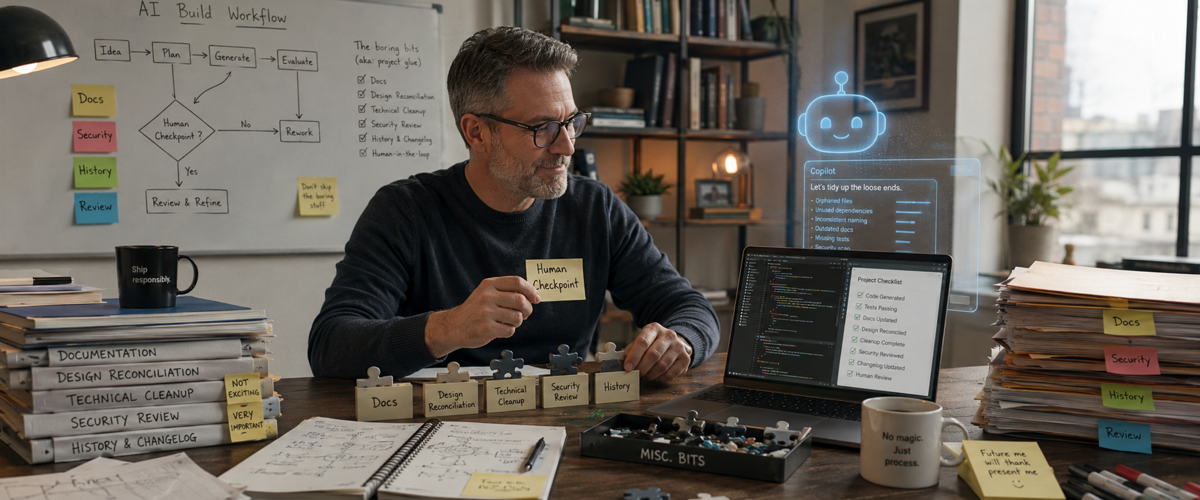
I thought Part 4: Preparing for Production was going to wrap up the series. But wait, there’s more! Not every useful lesson about building with AI tools fits neatly into the larger themes of the past articles in this series. So this final section is a collection of extra bits and pieces that don’t quite belong anywhere else, but may still save you a lot of trouble. Yes, I could have just called it “Misc.” I suppose. But in any case, there’s just some random bits that didn’t fit cleanly into earlier docs and fell out of the edits.
Here they are in one random walk place.
Run Reconciliation Passes: Docs, Design, Whatever
Drift.

There will always be drift. It might come from a technical place, it might be some random design thing. Whatever. It’s going to happen. The question is when do you reconcile them?
There’s times when I’ve been inline with a task and noticed some minor thing. It might be tech, it might be UI/UX. The question is, do I interrupt flow and fix it? Or put it back on the backlog. Well, that’s sort of a trick question. You never ought to interrupt the AI build in flow, unless it’s an emergency. It’s arguably worse than breaking a “typical Sprint” with a team because you could leave things in pieces. But in between a segment of work after it stops? Do you insert this change in there? Or add to the ever growing backlog.
Personally, if it’s small, and you’re already working on files that are kind of open and not committed, I just slap it in and do it. At the same time, I’ll add this change to a decisions.md file or someplace to track it. Everything has to be tracked. It’s about context, and not just for the AI. It’s for us. On the other hand, if a change, however seemingly small, is all of a sudden going to unravel database schemas, others pages, etc., it’s no longer so small and probably best left to a wholly separate reconciliation pass.
There’s another potential decision criteria here and it’s more about change type. That is, there’s a difference between UI cosmetic and UX functional. Leaving aside overlap of that which might be UI vs. UX, if there’s almost always design or functionality that’s required for things to work vs. more design oriented features. I’m talking about something like a button just missing. Or a user being dead-ended in a flow with no means to get back. That sort of thing should ideally be fixed in place immediately. If for no other reason, it might not be possible to close out a test scenario without such updates.
Anyway, in general, here’s a an attempt to break down some high level categories of when and where you might want to reconcile drift over time.
Docs
Compare the current product against the PRD, architecture documents, decision logs, user flows, and issue backlog. Maybe the application evolved in a sensible direction. Great. Update the documents so they describe the application you have, not the one you thought you were going to build two months ago. Or maybe the code wandered away from an important requirement. That’s also useful to discover, preferably before production.
Look for things like features that exist but aren’t documented, or requirements that are documented but were never built. Were decisions made in AI chat that never reached the repository?
UI/UX
What about visual and behavioral consistency. Did the agent create three different versions of the same form? Are error messages written in different voices? Does one page call something a “household,” another a “group” and so on? AI is perfectly capable of making every screen look reasonable while also making the whole product feel like six different people designed it during six different lunch breaks.
Technical
A technical reconciliation pass looks for places where the implementation has started contradicting itself or things just aren’t working. Bad data types, old database fields, tests that don’t match behavior, and similar.
UI/UX/Tech Interdependent
Some things can’t be cleanly separated into design or technology. A field might look like a small addition to a form but require a database migration, validation rules, import changes, export changes, role-based permissions, analytics updates, and revisions to customer support tools. So this kind of pass is to look at some of these seams where things meet.
Implementation and Operational Docs – Runbooks
Many don’t seem to bother with these things lately. The importance depends on whom you’re working with, to where the product will be released and similar issues. Do you need to document deployment procedures? API integration notes? Monitoring rules? What else?
Summing Up
You don’t need to run all of these passes every afternoon. Run them at natural checkpoints, such as after a major feature group, before staging, before production, or whenever you notice the same confusion showing up more than once.
Documentation
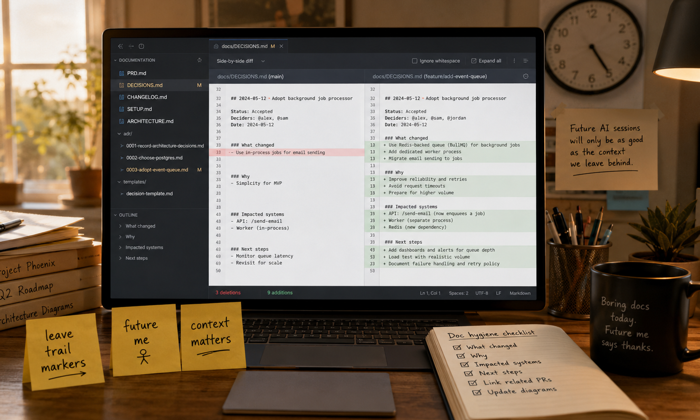
If you lose the flick, you maybe lose a sense of place, where you are, where you need to go. That can usually be recovered once back in the flow. But if you lose context? You could lose everything.
The hardest part of documentation efforts, (and maybe sometimes to a lesser degree reconciliation), is having patience. It doesn’t always feel like work. Pixels on screen aren’t changing. New fields are not being defined. Things aren’t moving down the pipeline. Tickets are not being knocked out. This task is kind of like medical checkups. You accept the hassle, expense, and maybe even little bits of pain, to avoid larger problems that could show themselves at any time if you skip these steps. Or more precisely, because you skipped these steps.
This part is lousy because waiting is painful. Ever hear the joke? “What’s the problem with instant gratification?” “It’s not fast enough.”
When there’s any slack time in a project, and there often is, as a manager you can give your folks some breathing room, assign clean-up tasks, other tech or design debt tasks, educational efforts, and so on. But when an AI is one of your team members, what then? You might not be burning tokens, but we’re still burnin’ daylight… time is passing and the thing ain’t spinning.
It’s still got to be done. What changed? Why? What else is impacted, if anything? What else needs to be done. Maybe more. The goal isn’t docs for docs sake. It’s to leave enough trail markers that you, another person, or another AI session can figure out what happened. I realize a major argument against docs is they’re rarely up to date and code is what it is. However, if in this case. your docs are literally generating more code, then their really functioning like actual work tickets or user stories. Docs either at some point catch up with prompts or they get completely dusty to uselessness. For a throwaway prototype? So what? For anything really going into production? At some point, someone will likely pay for being lazy.
Maintain History
History isn’t just documentation.
It’s also the Git history, pull requests, issue comments, decision records, test results, deployment logs, and sometimes the AI sessions themselves. If you’re using a web-based version of an AI, old sessions may remain available until you delete them. That’s useful, but I wouldn’t treat a chat sidebar as the official archive of a project. Chats are hard to search consistently. They may contain abandoned ideas, incorrect recommendations, pasted secrets, temporary decisions, and twelve pages of conversation before the one sentence you actually need.
The useful parts have to escape the chat. But you have to take just two seconds to label things well. Your Git history should also tell a story. A series of commits named stuff, fix, fix2, and really fix this time might technically preserve history, but doesn’t preserve much understanding. At least in Claude Code, there’s also a command called /insights. As of this writing, it can review roughly the previous 30 days of your Claude Code message history and generate a report about how you’ve been working.
Watch for Spin Out
Spinning out means you’re getting circular on tasks. Or you keep end up re-visiting something or another. If it’s a tech thing, or you “lost the flick” because you’re docs or flow got convoluted, then you have a recovery challenge. If it’s a design issue, perhaps the design wasn’t thought through enough. That’s product craft. Stop generating variations and make the decision. What is the user trying to accomplish? What information matters? What tradeoff are you making? What should happen in the unhappy path?
You’ll probably feel it when it’s happening. It could be your tool is full up on context. Or it could be you. Some signs are things like the same files changing back and forth, agents proposing the same things, new dependencies cropping up, new failures.
Sort it out before moving on. It’s not likely to just clear itself up. Some things do. But this isn’t something to depend on. Finish or safely stop the current change cycle. Maybe return to a known commit or carefully review the differences you’ve just been hitting, “Yes, continue” on repeatedly. As the AI where it’s at. Use evidence, not assumptions. If necessary, work on a recovery plan. When done, start a clean session.
Sometimes the best next prompt isn’t “try again.” It’s “stop changing files and explain what you currently believe is happening.”
Plan a Project Flow in the First Place
Again, my favorite. Irony.
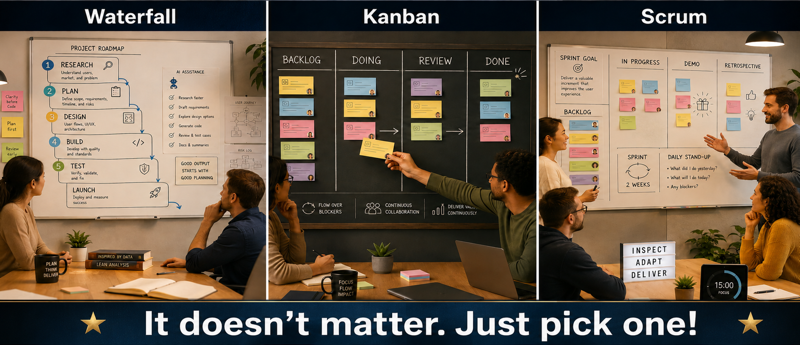
Agile was supposed to fix Waterfall. But AI really benefits from at least a little Waterfall. That statement needs some qualification. I don’t mean you should spend nine months documenting the entire application before allowing anyone to write a line of code. I also don’t mean Agile is somehow incompatible with AI development. The enemy isn’t Agile. It’s improvisation without any durable context or significant thought. Speed has increasingly become a form of virtue somehow. But in and of itself, it’s not. I’d argue that sometimes it’s a much worse form of trying to look busy. Maybe call it performative urgency. “Hey look, I’m very quickly doing the wrong thing!” Even with this, some say, “well, you’re learning quickly.” Maybe. There may be some value to that. However, at what point do 10 fast failures cost more than maybe just one day of actual thought first? Even failures are best purposeful with actionable learnings. (See Scott Ambler’s Applying AI in Agile Software Development Part 1: What I Would and Wouldn’t Do)
AI coding tools generally perform better when they can first inspect the project, understand the goal, produce a plan, and have that plan reviewed before they start editing. Anthropic’s own Claude Code guidance recommends an Explore, Plan, Implement, Commit workflow rather than jumping directly into code. That’s a little Waterfall-ish. And that’s ok. Really. It is. Human teams can preserve context through meetings, institutional knowledge, long-term relationships, design reviews, and people who remember why something was done three Sprints ago. An AI session doesn’t necessarily have all of that. It has the context you give it, the files it reads, whatever persistent instructions are configured, and whatever remains available in its working context.
So give the project a general flow. You can still iterate inside every phase. You can still change your mind. You can still release pieces incrementally. The point is to establish enough sequence that the project doesn’t behave like a tangled mess.
Own Your Shtuff
In any project of any depth of complexity, there are likely a lot of moving parts. Your app is likely more than just a patch of code. By the time you’re done, there are probably a variety of API keys: databases, content subscriptions, etc. Maybe a crypto wallet attached to an agent, and so on.
All of this is yours. Or someone’s. That is, the beneficial owner of the business entity in control of these assets needs to be in full control of all assets for real. If you’re a large company with procedures for this, fine. If smaller or solo and you’ve gotten external help from developers, those should have been as team members, not as admins with permissions that could allow them to take over your entire code base. You need to do a sweep of code to make sure everything is secure. If anything even might have slipped, publicly in GitHub, pasted into an AI, you have to rotate those codes.
You likely have both fiduciary and legal responsibilities to keep such things secure. Especially if you are doing anything involving consumer billing or private information. If you cede control over this, even accidentally, it’s still potentially your very big problem.
Security Pass
Do you know how to conduct a real security review? A real one? A solid one? I don’t. At least, not really. So in my case the answer is to get help; either from an internal team, with my contractor(s), possibly a dedicated security testing firm. It depends on the project. And for a review, I don’t mean asking the agent, “Is this secure?” and accepting a response containing twelve green checkmarks.
A security pass isn’t just about whether the code contains an obvious vulnerability. It’s about whether you left doors open across the application, infrastructure, accounts, integrations, and operating procedures.
Agent security deserves its own review as well. An agent shouldn’t automatically receive access to every tool, account, database, and administrative function simply because doing so is convenient. OWASP’s current agent guidance recommends least-privilege tool access, explicit approval for high-impact actions, audit trails, action previews, and clear boundaries around irreversible operations.
This might be a good spot to get or perhaps pay for some external help. Not everything need to be a $100,000 penetration test. But maybe just some talented fresh looks from a security perspective might be useful.
Consider “Unnecessary” Human In The Loop Checkpoints
This may seem like an odd line item. But, for your own awareness and mental acuity, consider forced checkpoints that aren’t wholly necessary, but give you an ambient sense of place in your own project. There are likely going to be inflection points you can find in any AI project where “Human In The Loop” (HITL) makes great sense for safety checks and so on. And other places that could maybe be automated out. Just consider though, maybe you could, but shouldn’t. We’re seeing more studies that show what Sol Rashidi calls “Intellectual Atrophy” when we use AI. Or overuse it, wherever that line may be. Will you be able to maintain awareness of just what’s going on with your own projects if you agentify every last little bit and piece? Does that matter? This isn’t just an issue of being aware of what’s going on so that you can have a clue as to where maybe something broke. It’s about your own knowledge base and skills. Along the way, you might see something curious or that you don’t fully understand. At that point, you can choose, “Oh, I don’t have time… approved… just fix it.” Or you can say, “I don’t fully understand this. Explain this last piece, and give me two examples or metaphors to help me understand.”
In other words, you can choose to stay engaged, and maybe even grow a bit. Or you can slowly flipflop just who is in control of what, with you functioning as more of a tool yourself rather than an in control operator. The risk is increasingly clear as real. The choice is yours.