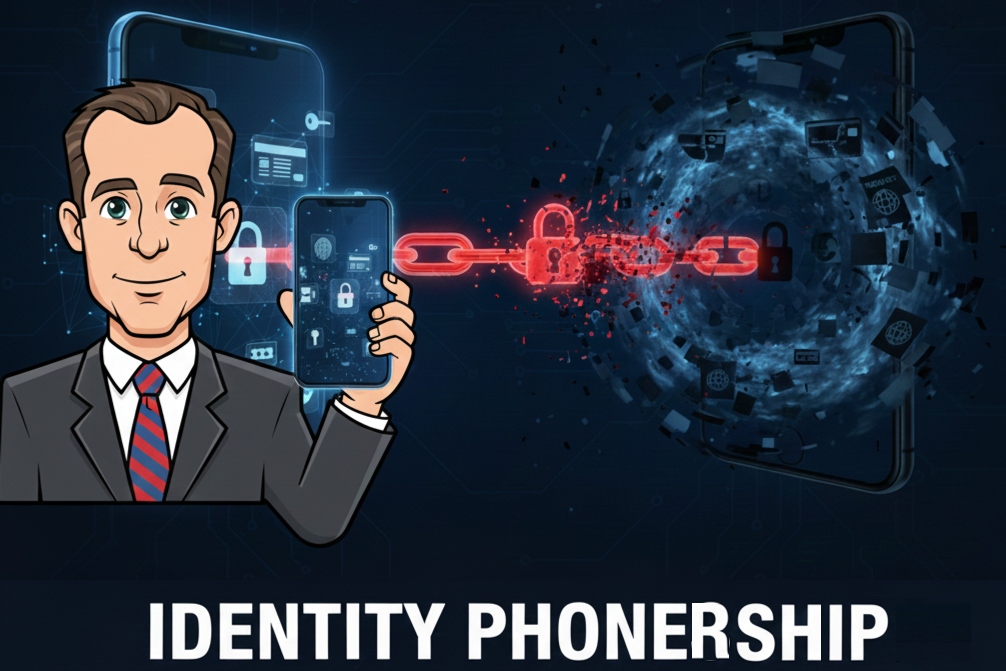
First off, apologies for the bad puns in the headline. I am a dad though. So bad dad puns just come with the territory. Here, I saw a chance for a double, so had to take it.
Today it’s time to discuss some pros, cons, risks, and mitigations for the reality that our cellphones have accidentally become our gatekeepers to all manner of things digital. And often physical as well. You likely already know how integrated, (and dependent), a lot of digital activities have become on our mobile devices. But how? And what might this mean? Smartphones as identity gatekeepers has been discussed before. However, what we’re experiencing now in the mid 2020s is arguably a new level.
How did our cell phone companies become the gatekeepers of our identities?
How many things now push for multi-factor authentication via our smartphones? There’s products where it seems if you don’t have a smartphone, you’re simply not going to be able to participate. How might this play out? Do phone companies know about this? Of course. Will they try to exploit this role to just extract more fees given they’re arguably in strategically poor commodity businesses with competitive margin pressure?
Phones are no longer just credentials; they’re becoming identity custodians. Security is often thought of as three things: What you have, (such as debit card), what you know, (PIN code), and what you are, (biometrics.) With our phones we seem to have shifted from just something you have to the thing that vouches for everything else.
Recovery, coercion, or loss were not first-class design considerations.
How This Evolved
ID verification and multi-factor authentication via smartphone is the easiest pathway for app creators. Developers can hitchhike on an always on, networked and uniquely addressable endpoint managed by carriers that optimize for uptime. It became an emergent system. Pressure to reduce friction of onboarding alone argues strongly for this vector. The result? 73% of people like to use their smartphones for multi-factor authentication. And for organizations? 95% of employees using MFA do so via a software program, such as a mobile app.
Phones as custodians and not just credentials isn’t a subtle distinction. A credential is a proof you present. It answers: “Can you show something that verifies you?” (Like a password, a driver’s license, maybe a physical key.) If lost, it can usually be revoked and reissued without redefining who you are. An Identity custodian might not be your identity per se, but holds, brokers, and vouches for your identity across systems. It answers: “What system is trusted to assert that you are you?” (Such as your smartphone holding biometrics, passkeys, MFA apps, wallets, Apple ID / Google account, etc..)
If lost, recovery may be complex, and maybe annoyingly circular. “Prove who you are using the thing you broke or lost”
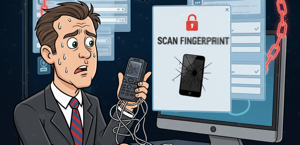
The key shift is that Credentials are inputs, whereas Custodians are authorities. How have phones crossed the line?
- They store multiple credentials.
- They approve other logins.
- They’re used to recover other credentials.
- They often authenticate without asking for secondary proof.
So the problem isn’t that phones aren’t strong credentials, which may be true. It’s that phones become the root of trust, without explicit design for loss, coercion, or graceful recovery. Identity custodians might mediate access to multiple systems and be used between them. If you work anywhere near tech, your LinkedIn feed is likely full of giddy rapture about the coming of agentic AI and how it might use crypto for payments. The issue is that if something early in the stream is compromised you might have cascading consequences.
Is This Shift a Problem?
This depends on how much you rely on your phone. If you lose it, you don’t just lose the ability to communicate. You lose access to almost everything you’re all in on your phone.
- Access to Work
- Access to travel: tickets, boarding passes.
- Access to facilities, etc. (Maybe your gym, a security gate at a club or community center, etc.)
- Digital ID use is growing. A lot of consumers prefer them. What about when unavailable?
- If you’re traveling and depend wholly on your cell phone, consider that loss, breakage or dead battery means not only will you not be able to get your Uber to take you to your business meeting, but you won’t even be able to get a snack. Or easily call for help.
- How quickly can you replace a lost or stolen device? That depends. Are you at home with a nearby store during business hours? Or overseas and your nearest cell provider’s store is a 10 hour plane ride away.
Here’s the essence of things…
We built an identity stack where the recovery mechanism and the authority mechanism are the often the same object.
Risks
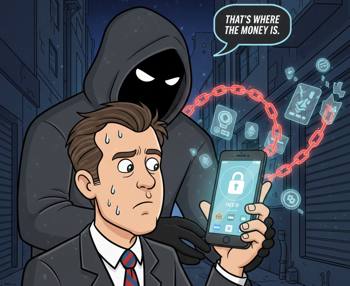
It used to be if you got mugged, (ideally not), or just lost something, (more common!), you’d lose maybe $40 or whatever, and maybe have to deal with the hassle of getting a new driver’s license and credit cards. Now? Well, now if you get mugged it might not be just “Give me your money and your wallet.” It might be, “Come with me to this dark place, because we need some time together to stuff your face in your phone, unlock it, and see what online banking and crypto wallets we can play with.”
Physical and virtual device risk will increase. When asked why he robbed banks Willie Sutton replied “that’s where the money is.” As we increase the threat surface areas represented in our phones, I predict this will become more of a criminal magnet. Especially insofar as anything can be done remotely. Less risk for them. And more goodies to be had. Maybe Face ID needs to add a blink three times and cry if you’re under duress feature.
Identity
The whole “what is identity” thing can get deeply philosophical. Let’s pass on that. Breeder docs are their own special topic; birth certificates, government IDs… it all starts there. Now, are YOU more than that? Sure. There’s whole books written about sovereign selves and identity not being your government labels, etc. But this is just a practical blog post. So let’s skip the philosophy and go on about our day.
Let’s start with the pure identity check companies. This is a cottage industry of businesses that identify you as you. These companies typically tie into DMV, and as many other data sources as they can to verify you. Most provide services to banks and others as part of those company’s onboarding processes. (Socure, Persona, IDEMIA, etc.)
Banks and financial institutions identify you primarily to satisfy Know Your Customer (KYC) and Anti-Money Laundering (AML) requirements. Their interest isn’t in brokering identity, but in assigning responsibility, managing risk, and complying with regulation. Once identity is verified to that standard, anything beyond that, personalization, marketing, or reuse, is incidental.
Our Phone Companies, Ourselves
And then there’s our phone companies. Are they the gatekeepers of my identity now? This is amusing. In a disturbing way. I’m not here to bash providers, but I want to illustrate something to make a point. Personally, we’re on a family plan. Our cell provider took hours over days to sort out getting my father-in-law’s phone upgraded. This is the company that can’t give us a static IP address for our home internet, so that when I look for the closest Home Depot or something, it’s 100 miles away, and our streaming provider won’t give us local news because we apparently live elsewhere. This is the company we have to call every year to knock off some charges they seem to sneak in. Fine. This is just typical day-to-day phone company game garbage. Annoying, but not that big a deal. The point is, they can be a procedural mess. And yet, they’re now the gatekeepers of just about everything digital that requires multi-factor anything.
Crypto and self-sovereign identity boosters like to talk about digital wallets and digital IDs. Obviously, you need a digital device to use these. There may be ways to craft these in self-sovereign ways so people can wholly control them on their own in privacy preserving ways. But as a practical matter? You likely won’t be. Some small cohort of crypto maxis may manage their passkeys well and use burners or whatever. Mass market consumers? Not so likely. Normies barely give recovery a thought. So for the near future, access is courtesy of your cell provider and you not losing or damaging your device.
Consumers: What You Can Do
- The obvious… Own a battery charger, (and remember to charge it), so you can top off and so you don’t ever plug in directly via to a public charger; which can be risky.
- Back up! This advice is as old as computing. But so few do this. 78% claim they do when maybe only 33% actually do.
- Make sure your apps are legit. This means not only making sure you’re using legitimate app stores, but official apps. As good as the gatekeepers may be, they can miss things.
- Are you using authenticator apps? At least note down somewhere what apps you have on there so if you need to re-install, you can quickly re-enable all of those services.
- Bring Your Own Device (BYOD) for work tasks? See if you can get a work phone.
- Lock down / Freeze your kids’ credit and keep track. If you give your kid a phone, you’ve created an identity credential for them, probably before they have any credit rating. This increases their digital footprint and that can be exploited. Consequences might not show themselves for years. Is this a real problem? Very much so, and growing fast.
- If traveling, especially, out of country, prep before you go. Maybe leave your phone home and buy a cheap burner for your trip. If you lose your phone, you may be able to use a “Find My Phone” app to find it or lock and erase it. Or put it in a lost mode with contact info. Label it so that if someone does find it, they have a means to contact you. Carry old-fashioned credit cards. Ideally all your things weren’t lost. Leave a card and some local cash in your room safe. You can buy a cheap burner phone so at least you can communicate.
- If you rely on a smartphone to manage a connected health device, have backups. It might be complicated to just swap control devices.
- Use trackers, AirTags, whatever. They might not help if something is outright stolen. But they can help. Here’s more you can do.
Product Managers: What You Can Do
If you’re building products that lean on authentication, whether it’s logins, payments, or access to services, if possible don’t make the phone the only key to the kingdom. Phones are convenient, but they’re also a single point of failure. Here’s some options.
- Offer a buffet of MFA options: Don’t default to SMS or phone-based codes. Push for authenticator apps (like Google Authenticator, Microsoft Authenticator or Authy), hardware tokens (e.g., YubiKey or USB security keys), or biometrics tied to devices users already trust, like laptops with fingerprint readers. This way, if someone loses their phone, they’re not locked out entirely. Bonus: It includes folks without smartphones, avoiding exclusion.
- Build in adaptive and contextual auth: Use smarts to dial up security based on risk. E.g., Low-threat logins might skip MFA, while suspicious ones require extras. This reduces friction while keeping things secure.
- Prioritize recovery paths that don’t suck: Make account recovery easier with backup codes, email fallbacks, or in-person verification for high-stakes stuff. Test for real-world scenarios like international travel or no-signal zones. Maybe set time targets such as aiming for under-an-hour recovery where possible. Ditch SMS MFA where you can, at least for high value things; it’s vulnerable to SIM swaps and interception. (One time, I left my wallet home on a commute to NYC. Maybe I could have borrowed $20 from a co-worker, but my bank was able to at least give me $100 with some basic verification and my on file picture. The branch had to be there and open, but at least they had a temporary help recovery method.)
- Educate and incentivize users: In your onboarding, highlight alternatives to smartphone only MFA. Customer service will tell you if you’ve reduced costs / call volume for recovery challenges.
Ideally, your product shouldn’t punish people for not being glued to their phone. Design for resilience, not just convenience. This might not be possible for your application. And it’s most likely you’ll start with what’s easy. Just consider as you grow if you can add other options. You can probably find what the issues are by looking at customer service requests along such lines. (You should be doing that anyway, but in this case, you’re assessing the feature(s)/cost/benefit pain points in this particular area.)
Security / Facilities Managers: What You Can Do
You’re guardians of physical and digital doors; workplaces, buildings, data centers. When phones become the de facto ID badge, a lost device can be a cascade problem. Time to diversify and harden those entry points without turning recovery into a major employee ordeal.
- Deploy phone-independent access controls: Go touchless with biometrics or RFID badges that don’t rely on personal smartphones. For facilities, integrate systems like smart locks or kiosks that use hardware tokens or company-issued fobs.
- Enforce Zero Trust with alternatives: Adopt a “never trust, always verify” model where access isn’t phone-centric. Use enterprise IAM tools to manage identities via dedicated apps on work devices, or provide hardware MFA keys.
- Plan for outages and recoveries: Have contingency plans for phone blackouts: backup auth via email, voice calls to landlines, or even manual overrides with oversight.
- Collaborate on identity proofing: Work with HR and IT to strengthen initial verification using government IDs or in-person checks, reducing reliance on phones.
- Don’t be Complete Jerks on Loss: Yes, employees need to be responsible with company property. But face it, things will happen sometimes. Stuff gets broken, stolen, lost. If someone needs to fill out a police report for you, fine. Just know it’s going to happen sometimes and have some spares ready. I’ve seen a mid-level employee get overly chastised for this, (my opinion). So try to use company gear, not personal and have means to encrypt it and remote wipe and recover. (Vs. people using their own devices as shadow IT.) Thousands of laptops and phones are lost weekly. Just have clear governance, account for it and deal with it as the reality it is. You want employees encouraged to report losses fast so you can lock things down, not hold out trying to find things out of fear.
Final Thoughts
There’s no great solutions here yet.
We’ve handed our identity verification to our phones, turning phone companies into mission critical gatekeepers. It’s efficient, but there’s risks, from muggings morphing into digital ransoms to exclusion for the phoneless. As we head into 2026, expect a push towards digital IDs and AI-driven verification, likely increasing the critical path of our phones. Cyber threats are escalating, so the real win is in balanced systems: secure, flexible, and human-centered. Whether you’re a consumer, PM, or security pro, start small, diversify your authorization options today, or risk being “cellularly” stranded tomorrow. Again, have backups. And I don’t mean just backing up data. I mean for common things, have backup plans. Things as simple as just keep a credit card and few dollars rather than relying wholly on the phone, etc.
See Also
- As Mobile Threats Rise, Protecting Digital IDs Is Vital
- 2025 Predictions for the Future of Digital Identity
- Encrypted smartphones secure your identity, not just your data
- What will happen to your digital ID if your phone gets stolen?
- Mobile is the Weakest Link
- Losing my phone while abroad nearly cost me my health